Today when using Drone CI to build a project, an incredibly strange error occurred.
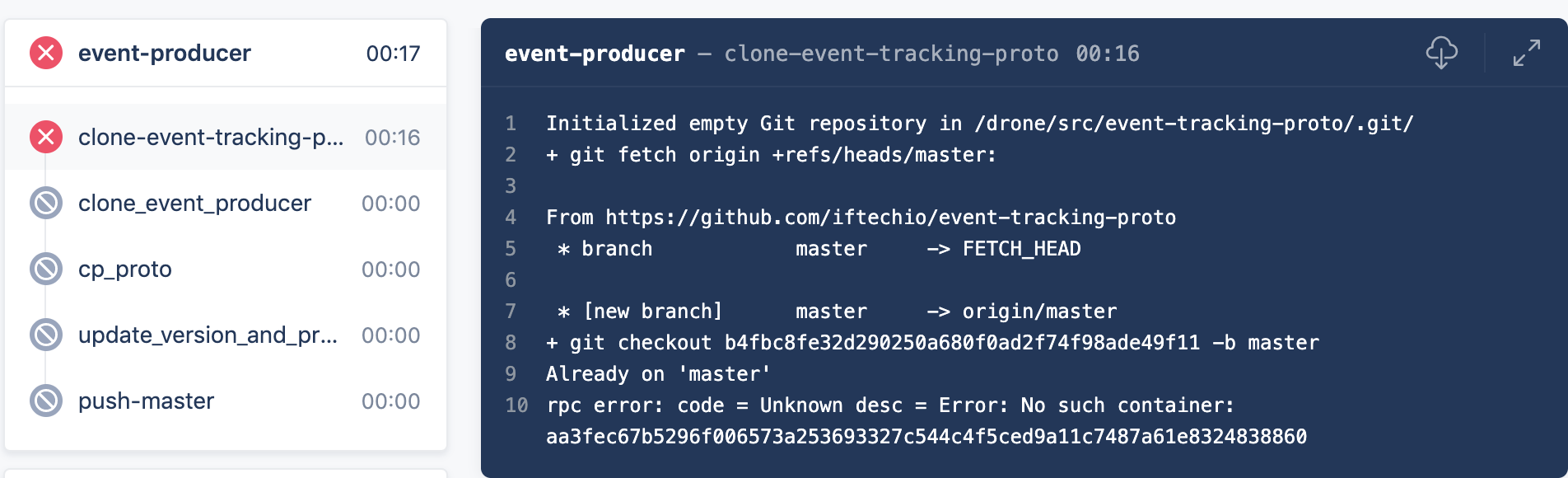
The build failed and exited directly when cloning a branch code.
First, I checked the rpc error and found that the reason for this error was that the Pod was deleted while getting the Log of the Pod.
At that time I thought it was very strange. Even if the Pod is deleted because the Step execution fails, it should stop getLog first, rather than deleting the Pod directly during getLog.
So I used kubectl describe on this Pod and found that the Exit Code of this Container was 128. This implies that the Container exited by itself due to an execution error.
However, from the log in the picture above, the Container should have executed successfully, and no error logs appeared. So why is the exit code of this Container 128 instead of 0?
I started to suspect if an error occurred during git checkout -b master, so I simulated this Step step in the Docker container, git checkout -b master | echo $?, and found that even if it displays Already on master, its exit code is 0. So the possibility of git error was ruled out.
So where is the problem?
After troubleshooting for a while, I found that this abnormal situation only occurs when Image is registry.cn-hangzhou.aliyuncs.com/xxx/xxxx:xxx.
It turned out that it was because another service was running in our cluster. This service would judge the type of Image when the Pod is created, replacing the Image using a public network address with one using an internal network address registry-vpc.cn-hangzhou.aliyuncs.com/xxx/xxxx:xxx. Plus I happened to have done some optimization on drone-runner-kube (setting the initial image in advance to reduce pod update times). This caused a conflict between these two services.
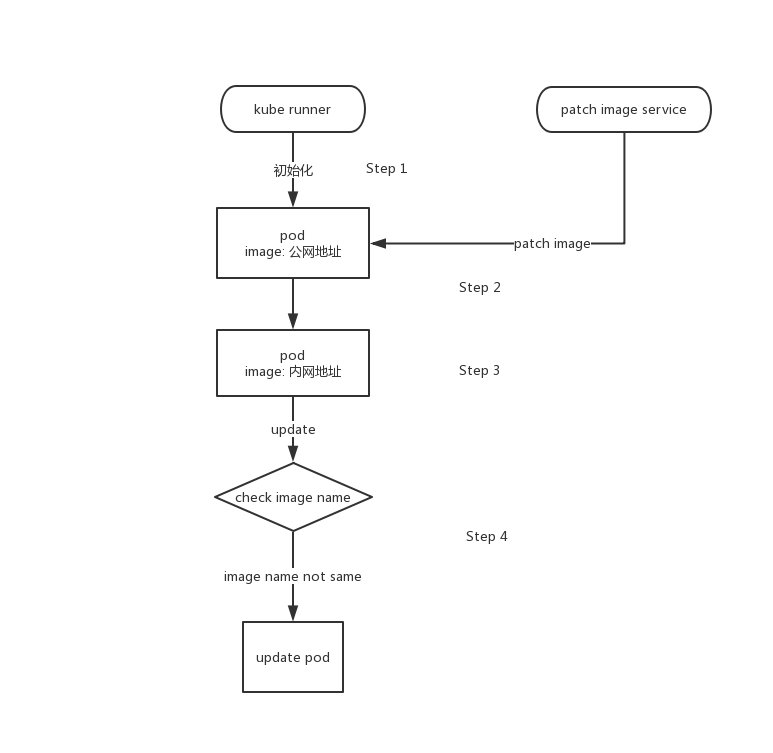
When the runner created the pod, the image was first set to the public address (Step 1). Then the image was set to the internal address by another service and submitted to k8s to run. Then the runner found through comparison that the pod's image was not the image it set at the beginning, so it updated the pod (Step 4).
Because of the Update Image, the Step did not run as expected. So this baffling error appeared.
Solution: Set the initial address of the Image to the internal network address, so that another service will not modify the Image of the Pod, and this error will not occur.